Exporting Models
TensorBloom can export your trained model in three formats: ONNX, TorchScript, and Python code.
Exporting
Go to File > Export Model (or Ctrl+E) to open the export dialog.
ONNX
Best for: Production deployment, cross-framework compatibility, inference optimization.
ONNX (Open Neural Network Exchange) is the industry standard for deploying models across frameworks and runtimes:
- ONNX Runtime — fast CPU/GPU inference
- TensorRT — NVIDIA GPU optimization
- Web — ONNX.js / onnxruntime-web for browser inference
- Mobile — ONNX Runtime Mobile for iOS/Android
How it works
TensorBloom traces your model with a sample input and exports the traced graph to ONNX format. The export uses torch.onnx.export under the hood.
Limitations
- Models with dynamic control flow (if/else based on tensor values) may not export correctly
- Code blocks with unsupported operations may fail
- Input shapes are fixed at export time (dynamic axes are not yet supported)
TorchScript
Best for: PyTorch-native deployment, models that stay in the PyTorch ecosystem.
TorchScript serializes your model into a format that can be loaded in C++ or Python without the original model definition code.
Trace vs Script
TensorBloom offers two TorchScript methods:
| Method | When to Use | Limitations |
|---|---|---|
| Trace | Simple feedforward models, no control flow | Cannot capture if/else, loops based on data |
| Script | Models with control flow, dynamic behavior | Requires all code to be TorchScript-compatible |
Default: Trace. Use Script only if your model has conditional logic in code blocks.
How it works
- Trace: Runs the model once with a sample input and records all operations
- Script: Compiles the Python code to TorchScript IR (intermediate representation)
Python Code
The Code panel at the bottom of the app always shows the generated PyTorch code. You can:
- Copy — Click the
Copybutton to copy the code to your clipboard - Export .py — Click
Export .pyto save as a Python file - Edit — Click
Editto open the code in an editable text area, make changes, and re-import
The generated code is a standard nn.Module class that you can use in any PyTorch project:
import torch
import torch.nn as nn

class Model(nn.Module):
    def __init__(self):
        super().__init__()
        self.flatten = nn.Flatten()
        self.fc1 = nn.Linear(784, 512)
        self.relu1 = nn.ReLU()
        self.fc2 = nn.Linear(512, 10)

    def forward(self, x):
        x = self.flatten(x)
        x = self.relu1(self.fc1(x))
        return self.fc2(x)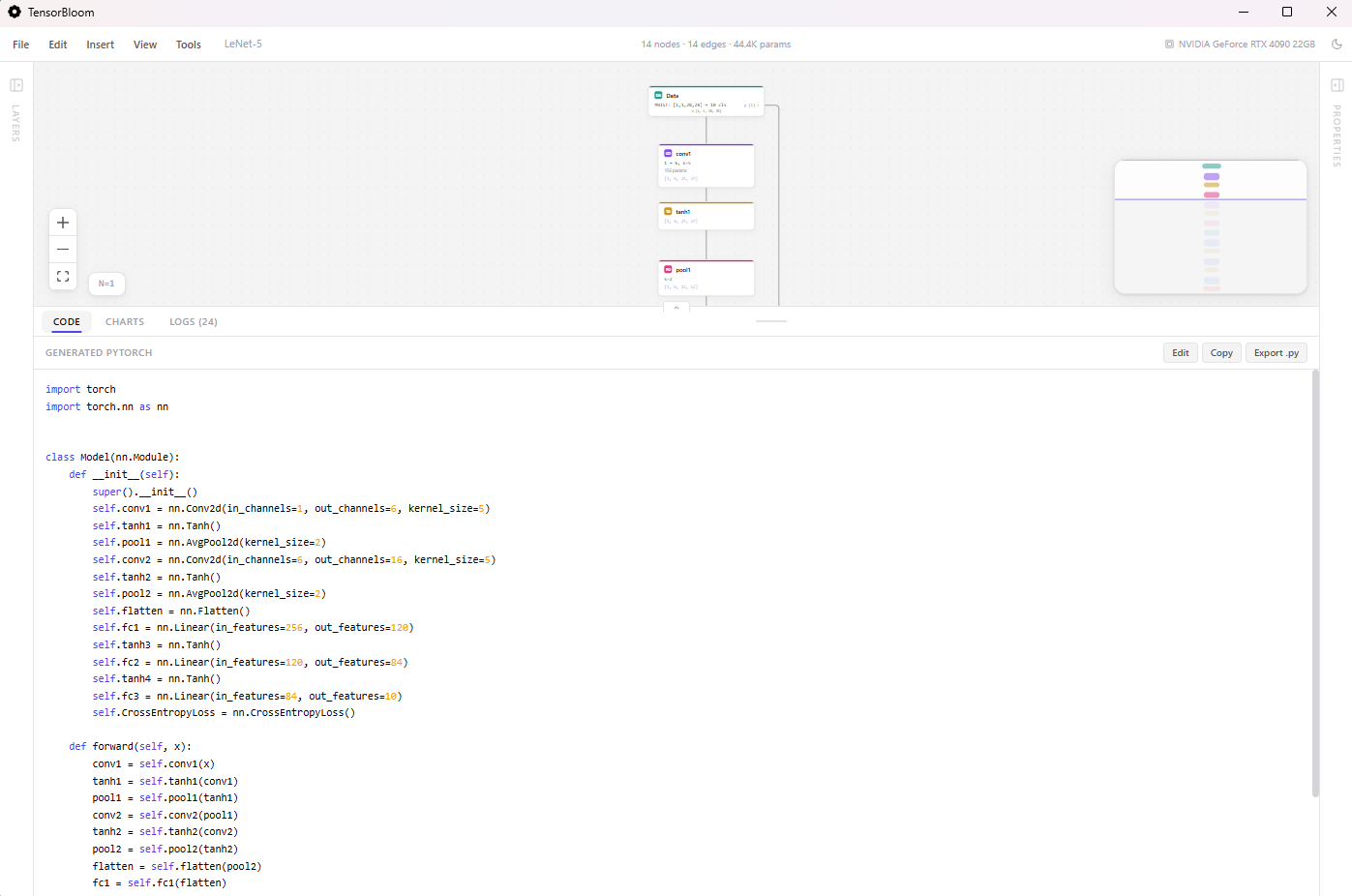
Tips
- Train before exporting — Export uses the current model weights. Train first to get meaningful weights.
- Test the export — Load the exported model in a separate script and verify it produces the same outputs.
- ONNX for production — If deploying to a server or edge device, ONNX with runtime optimization is usually the best choice.
- Code for research — If you want to continue developing the model in a Jupyter notebook or script, export the Python code.