Features
What TensorBloom does.
Graph Editor
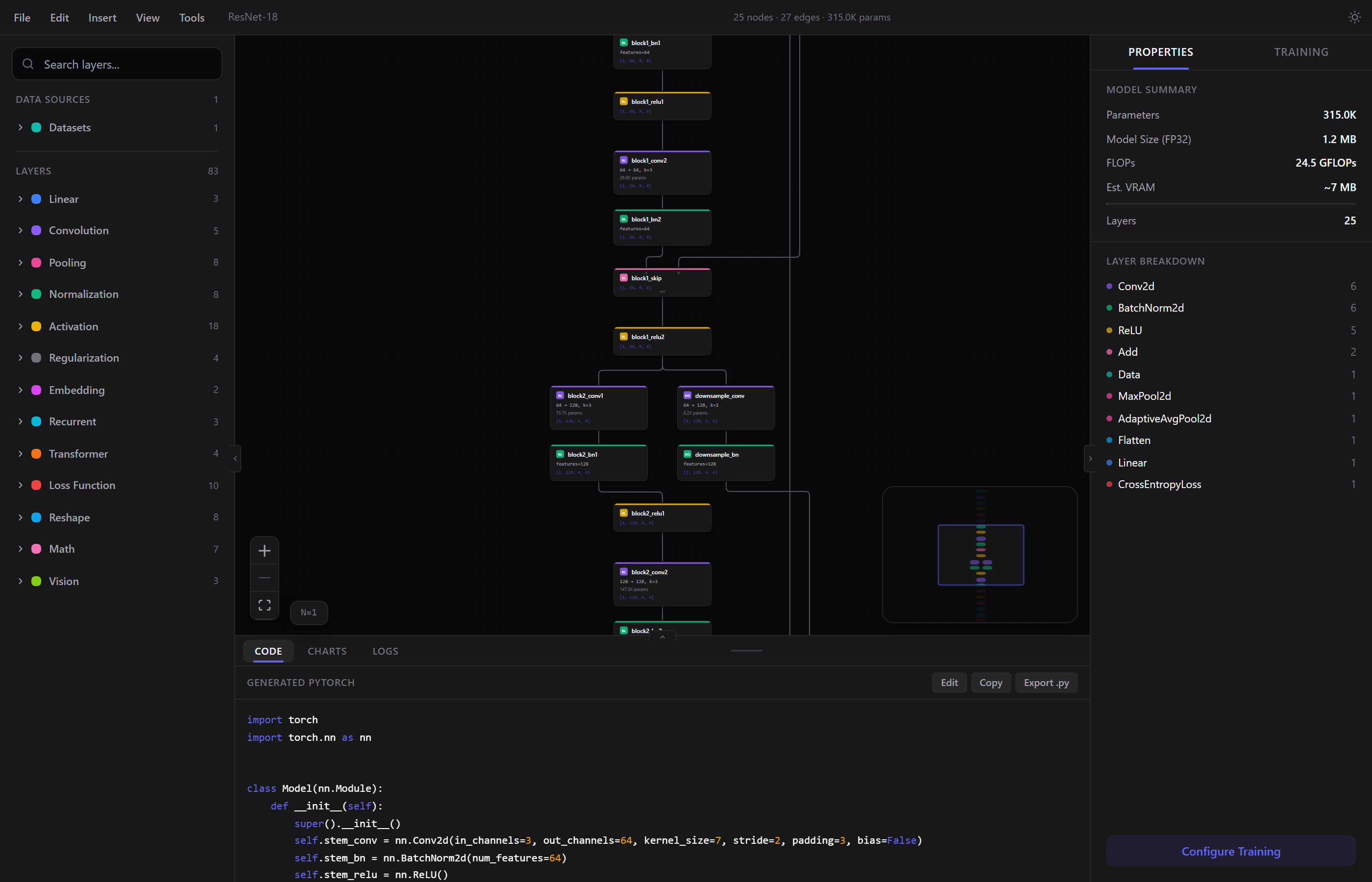
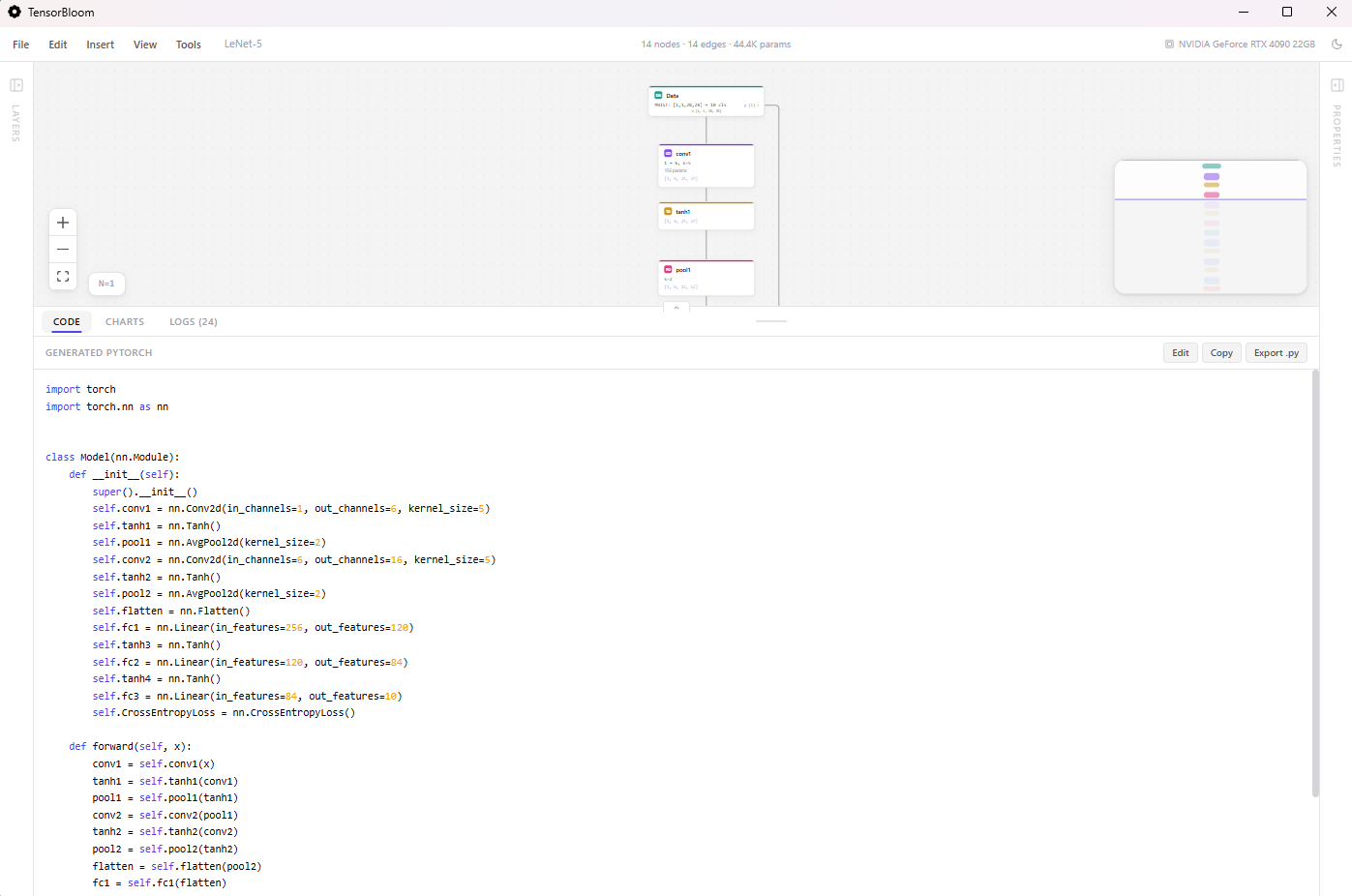
Node-based canvas for PyTorch networks. Each node is a module — drag it on, connect it, configure its parameters. Gives you a spatial view of your architecture with real-time shape inference on every edge.
70+ Modules
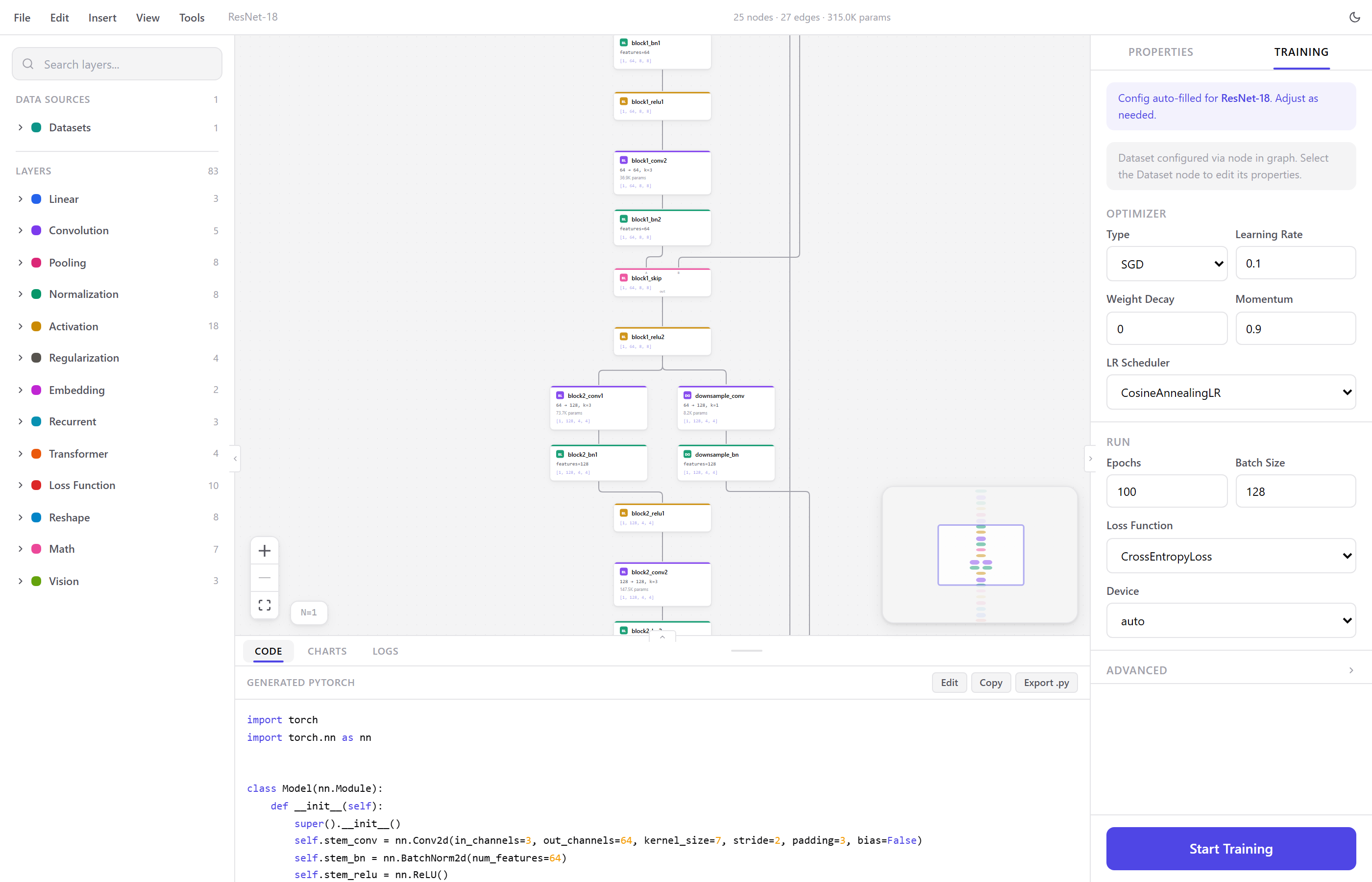
Linear, convolution, pooling, normalization, activation, recurrent, transformer, dropout, embedding, loss, reshape, and math layers. All configurable from the property panel.
Menu Bar
Full menu bar with File, Edit, Insert, View, and Tools menus. Save and open .tbloom project files, import PyTorch code, export models, insert templates and layers, toggle panels, and access auto-layout and GPU info.
Training
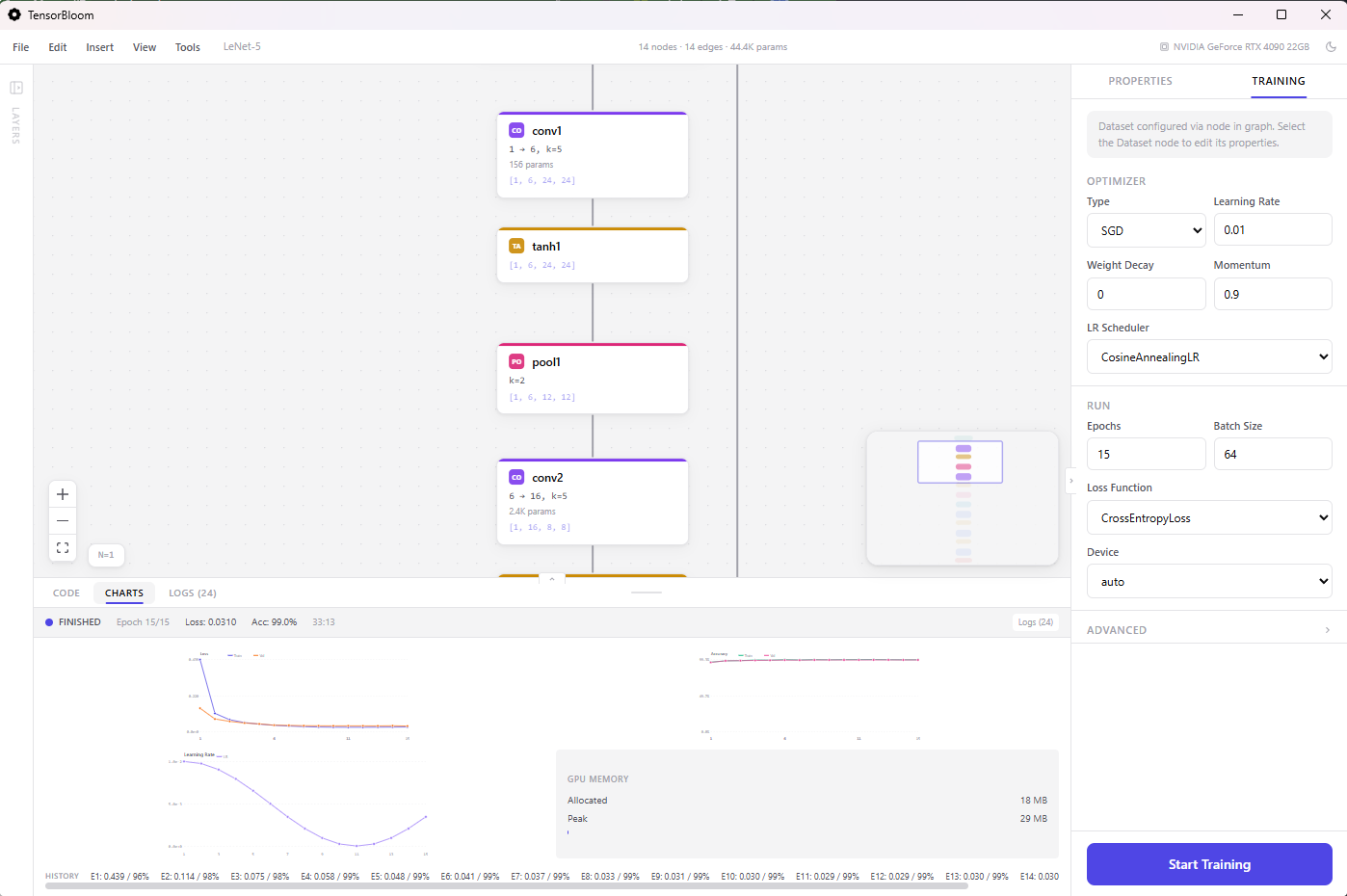
Train from the editor with live loss and accuracy charts, epoch progress, and detailed logs. Supports SGD, Adam, AdamW, RMSprop, and schedulers like cosine annealing, step decay, one-cycle, and reduce-on-plateau. Advanced options include mixed precision, gradient clipping, early stopping, random seeds, and deterministic mode.
Auto-Fix System
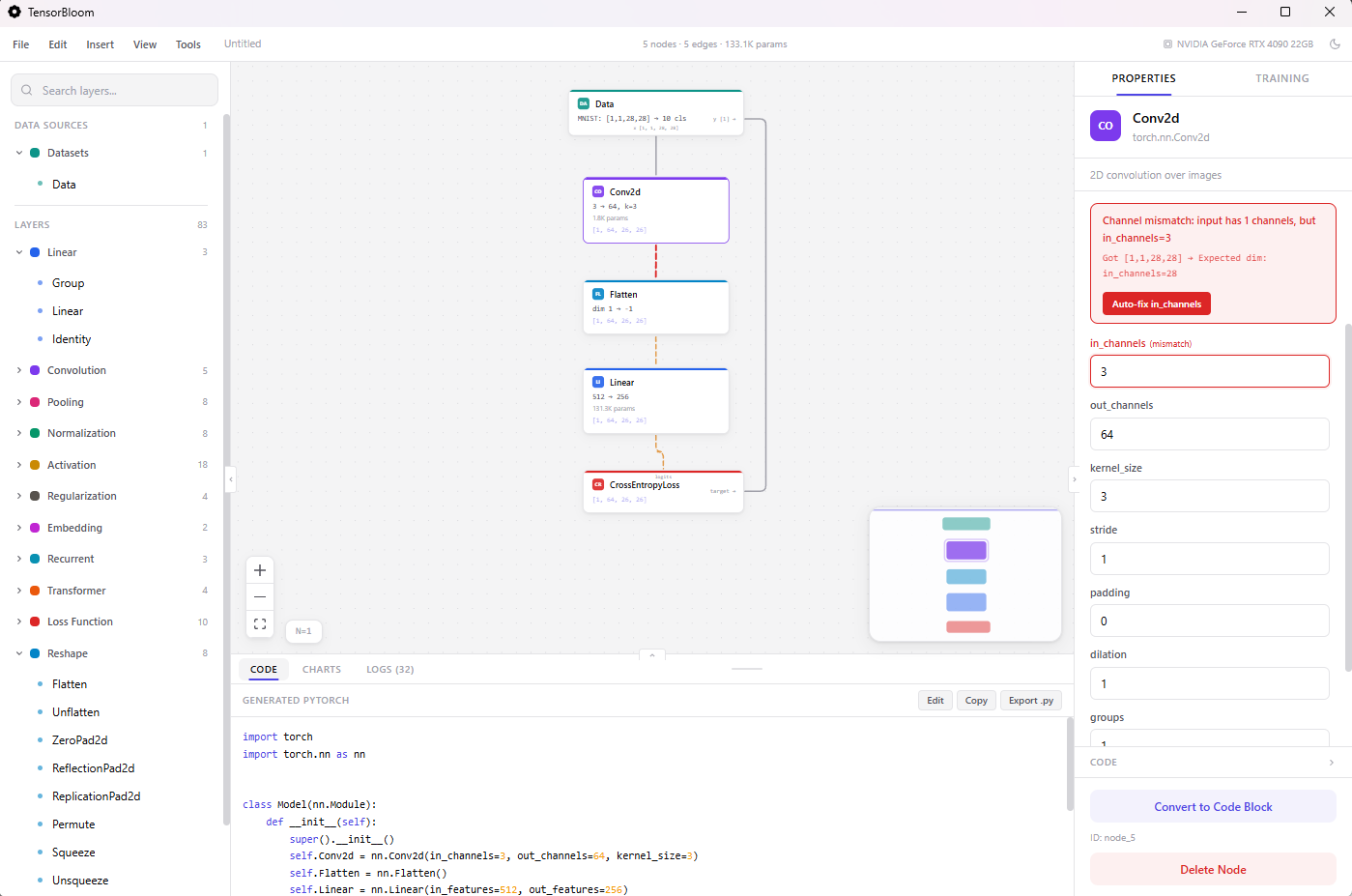
When you click Start Training, a preflight check validates the graph and auto-corrects fixable issues. Shape mismatches get in_features and in_channels adjusted automatically. Loss-target compatibility is checked. Dimension errors are corrected before the first epoch.
Shape Inference & Error Detection
Tensor shapes propagate through the graph as you build. Dimension mismatches are caught instantly with visual error indicators. The auto-fixer corrects in_features, in_channels, and out_features before training starts.
Custom Blocks
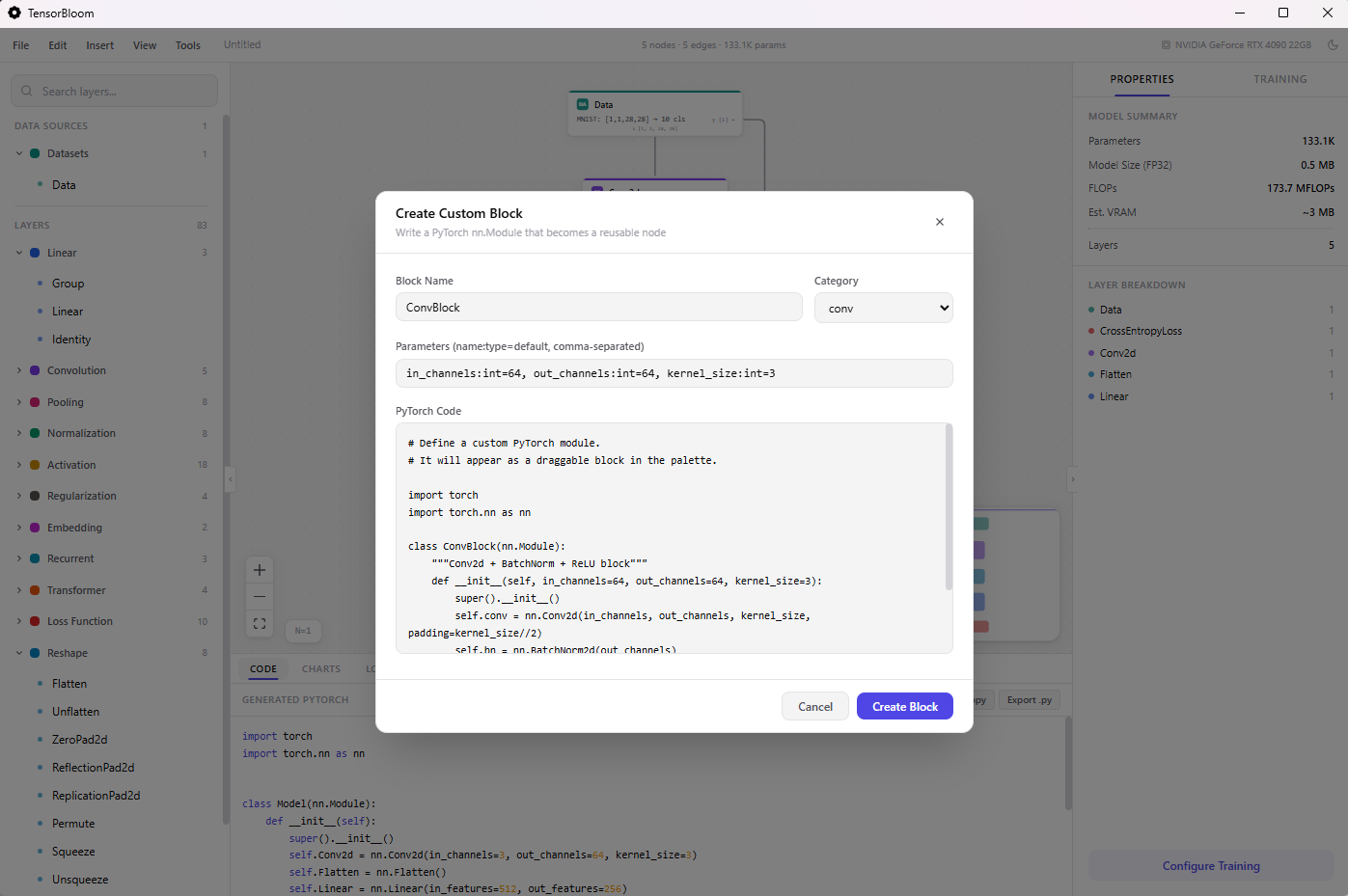
When the built-in modules aren't enough, create custom blocks with inline PyTorch code. Define __init__ and forward, add input/output handles, and use them like any other node.
Code Import & Export
Paste PyTorch code and it traces into a graph via torch.fx. The decompiler goes the other way — graph to readable Python. The code panel shows generated code in real time.
Templates
16 architecture templates: Simple MLP, LeNet-5, ResNet-18, ViT, MobileNetV2, U-Net, Transformer, nanoGPT, BERT, LSTM Text Classifier, Whisper Encoder, WaveNet, Autoencoder, Conv Autoencoder, Embedding Classifier, and DenseNet Block. Organized by domain — vision, language, audio, generative.
Export
ONNX and TorchScript (trace or script mode). Both from the export dialog. Python code export from the code panel.
Datasets
Built-in loaders for MNIST, Fashion-MNIST, CIFAR-10, CIFAR-100, TinyShakespeare, WikiText-2, IMDB, AG News, SpeechCommands, ImageFolder, HuggingFace (experimental), Custom CSV, and Custom Tensors.
Tensor Mapping
Load your own data files and assign tensor roles visually. Scan a .pt, .npz, or .safetensors file to discover all tensors inside, then map each one as Model Input, Loss Target, or Not Used.
Save & Open Projects
Save your entire graph, parameters, and training configuration as a .tbloom file. Open it later to pick up where you left off. Auto-save runs every 30 seconds to local storage.
Training Progress
Separate tabs for Code, Charts, and Logs. The charts tab shows live loss and accuracy curves. The logs tab shows per-epoch metrics, GPU memory usage, and CUDA availability. A progress indicator in the toolbar shows training status at a glance.
Light & Dark Themes
Toggle between light and dark mode from the View menu. Both themes are designed for extended use.
Keyboard Shortcuts
Ctrl+K spotlight, Ctrl+S save, Ctrl+Z undo, Ctrl+G group, Ctrl+L auto-layout, Ctrl+C/V copy/paste, Ctrl+D duplicate, Ctrl+? show all shortcuts.